AI agents
AI SEO Agents: How They Work and What They Should (and Shouldn't) Do
An AI SEO agent watches Search Console, finds decaying pages and drafts the fix. How it works, 6 use cases, an n8n build walkthrough and when to buy one.
By the gtmind teamPublished 10 min read
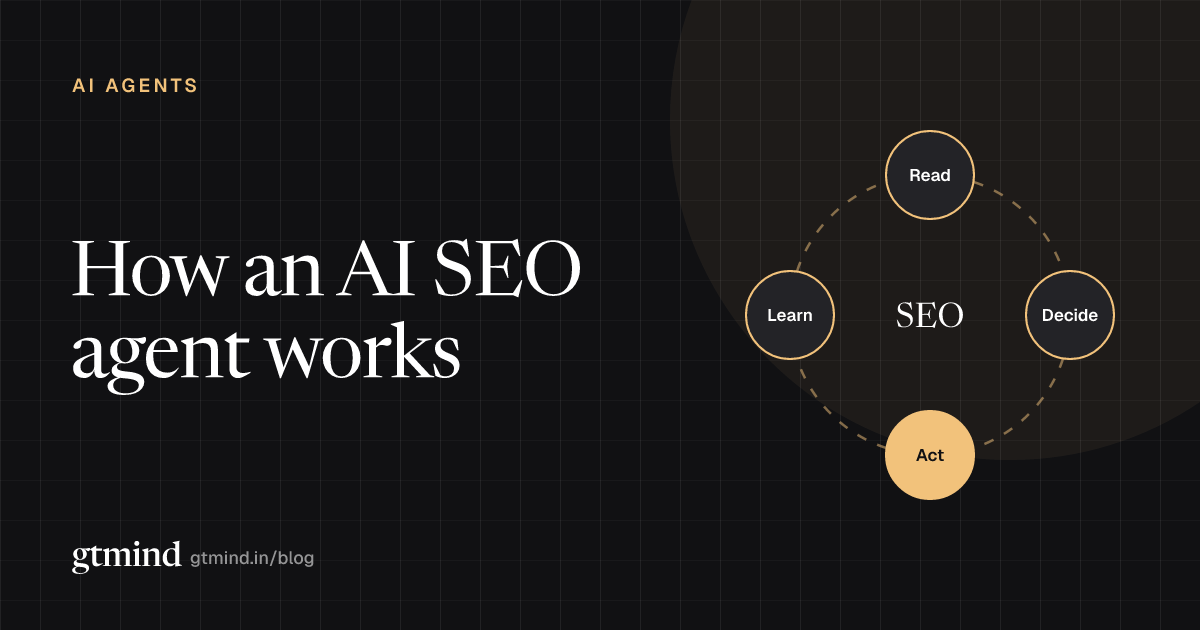
An AI SEO agent is software that reads your search data, decides which SEO fixes will matter most, and carries them out: refreshing a decaying page, rewriting a title that lost clicks, adding internal links. An SEO tool tells you what is wrong. An AI SEO agent does the fix, asks for approval, and then checks whether rankings recovered.
Key takeaways
- The difference between an SEO tool and an SEO AI agent is action plus follow-up, not the use of AI.
- The best first job for an agent is content decay, because Search Console data makes it easy to detect and measure.
- You can build a minimal agent in n8n in an afternoon: Search Console API, an LLM, a CMS draft and a human approval step.
- Whether you build or buy, insist on read-only defaults, drafts instead of live edits, and one-click rollback.
- Some things an agent should never do unattended, like deleting pages or publishing new ones at scale.
SEO tool vs AI SEO agent: what's the difference?
Most SEO software is a report. It crawls your site or pulls ranking data and hands you a list. The work of deciding what matters and doing it is still yours. An AI agent for SEO closes that gap.
| SEO tool | AI SEO agent | |
|---|---|---|
| Output | A report or score | A drafted change |
| Decides priority | You do | It does, then you approve |
| Uses your own data | Sometimes | Must, to be useful |
| Touches your CMS | No | Yes, as a draft |
| Checks the result | Next report, if you look | Re-measures on a schedule |
One note on terms: the query "seo agent" gets far more searches than "ai seo agent," but much of that traffic is people looking for an SEO agency. This post is about software.
How an AI SEO agent works: the loop on real data
A useful SEO AI agent runs the same four-step loop as any AI marketing agent: read, decide, act, learn. Here is what each step looks like on real search data.
- Detect decay in Search Console. Compare the last 28 days to the previous 28 (or to the same period last year for seasonal sites). Flag pages where clicks dropped sharply and average position slipped.
- Diagnose. Pull the page content and the queries it ranks for. Is it outdated? Did a newer page on your own site start competing for the same query? Did the title stop matching intent?
- Refresh. Draft updated sections, new facts, a clearer answer near the top, and FAQ content drawn from the queries the page already gets.
- Link. Suggest internal links from related pages that already rank, pointing to the refreshed page.
- Fix metadata. Rewrite the title and meta description where impressions held steady but click-through rate fell.
- Re-measure. Four to six weeks later, compare clicks and position again and record whether the refresh worked.
That last step is the one most tools skip. It is also the only way to know whether the agent is worth running. If you are deciding which numbers to track, our guide to SEO KPIs covers the leading and lagging metrics to watch.
6 AI SEO agent use cases
| Use case | Signal in the data | What the agent does |
|---|---|---|
| Content decay | Clicks and position falling over 28+ days | Drafts a content refresh |
| Cannibalization | Two of your URLs swap rankings for one query | Proposes merge or re-targeting |
| Internal linking | Orphaned or weakly linked pages | Suggests links with anchors |
| Metadata and CTR | Impressions steady, CTR falling | Rewrites title and description |
| Schema | Eligible pages without structured data | Drafts FAQ or product schema |
| AI-citation gaps | Competitors cited in AI answers, you aren't | Restructures content to be quotable |
Content decay and content refresh
Content decay is the slow loss of traffic on a page that used to perform. It happens because facts go stale, competitors publish something better, or search intent shifts. A content refresh is the fix: update the page rather than write a new one.
This is the best first job for an agent because detection is purely numerical. You do not need a crawler or a third-party index. Search Console already tells you which pages are losing clicks.
Cannibalization
When two of your own pages compete for the same query, Google often alternates between them and neither ranks well. An agent can spot this by grouping Search Console rows by query and looking for multiple URLs with shared impressions. The fix (merge, redirect, or re-target one page) is a judgment call, so the agent should propose, not act.
Internal linking
Agents are good at the tedious part: finding every page that mentions a topic and suggesting a link with sensible anchor text. Humans should still check that links read naturally.
Metadata and click-through rate
If a page holds its position but gets fewer clicks, the title may have stopped matching what people want, or an AI Overview is now answering the question above you. An agent can draft new titles and descriptions and test them one page at a time.
Schema
Adding FAQ, product, or article schema is mechanical work that agents handle well, as long as the markup matches what is visible on the page.
AI-citation gaps
Search now includes ChatGPT, Perplexity, Gemini and AI Overviews. An agent can check which questions in your space cite competitors and not you, then rework pages so the answer is easy to lift. We cover this in more detail in our guide to LLM SEO.
How to build an SEO AI agent in n8n
Here is a minimal SEO AI agent built in n8n, the open-source workflow tool. It handles one job, content decay, and it never publishes anything without a human saying yes. Every node named below is a built-in n8n node.
What you need: an n8n instance (cloud, or the free self-hosted Community Edition), a Google Cloud project with the Search Console API enabled, an LLM API key, a WordPress site (or any CMS with an API), and a Slack workspace for approvals.
Step-by-step build
Add a Schedule Trigger node. Run the workflow weekly, for example every Monday at 07:00. Decay is a slow signal; daily runs just add noise.
Create a Google OAuth2 credential. In n8n, create a Google OAuth2 API credential using the Google OAuth2 generic instructions, with the scope
https://www.googleapis.com/auth/webmasters.readonly. Read-only is enough for this job, and it is the right default.Pull page data with an HTTP Request node. n8n has no built-in Search Console node, so call the API directly. Send a
POSTto the Search Analytics query endpoint,https://www.googleapis.com/webmasters/v3/sites/{siteUrl}/searchAnalytics/query, withpageas the dimension. Run it twice: once for the last 28 days and once for the 28 days before. The API returns up to 25,000 rows per request, so page through withstartRowon large sites. Add a Split Out node on therowsfield so each page becomes its own item.Flag decaying pages with a Code node. Join the two periods by URL and keep pages that lost a meaningful share of clicks. Set a floor so you ignore pages that never had much traffic.
Fetch each page's content. Use another HTTP Request node (or the WordPress node's Post → Get operation) to pull the current text, plus a second Search Console call filtered to that page with
queryas the dimension, so the model sees which searches the page serves.Draft the refresh with a Basic LLM Chain node. Attach a chat model sub-node and give it the page text, its top queries and the decay numbers. Ask for a structured proposal: what is outdated, sections to rewrite, a new title and meta description, and three internal-link suggestions. Ask it to flag any fact it is unsure of instead of inventing one.
Save a CMS draft, never a live edit. Use an HTTP Request node to call the WordPress REST API and create a post with
status: "draft"holding the proposed version. The live page stays untouched. Keep the original text in the draft notes so a rollback is trivial.Ask for approval in Slack. Use the Slack node's Send and Wait for Response operation to post a summary (page, clicks lost, what changed, link to the draft) and pause the workflow until an editor approves or rejects it.
Branch with an If node. On approval, the editor publishes the draft (or a later node applies it). On rejection, log the reason. Rejections are useful training data for your prompt.
Log and re-measure. Write the URL, date, and pre-refresh clicks and position to a Google Sheets node. A second scheduled workflow reads that sheet 28 days later, pulls fresh Search Console data and records whether the page recovered.
Illustrative config
The request body for step 3 and the decay rule for step 4 look roughly like this. Treat the thresholds as starting points, not rules.
// Step 3: HTTP Request body (POST .../searchAnalytics/query)
{
  "startDate": "2026-08-31",
  "endDate": "2026-09-27",
  "dimensions": ["page"],
  "rowLimit": 25000
}

// Step 4: Code node, flag decaying pages
const prev = new Map($('GSC previous').all().map(i => [i.json.keys[0], i.json]));
return $('GSC current').all()
  .map(i => {
    const url = i.json.keys[0];
    const before = prev.get(url);
    if (!before || before.clicks < 50) return null;       // ignore low-traffic pages
    const drop = (before.clicks - i.json.clicks) / before.clicks;
    const slip = i.json.position - before.position;       // higher = worse
    return drop > 0.3 && slip > 2
      ? { json: { url, clicksBefore: before.clicks, clicksNow: i.json.clicks, drop, slip } }
      : null;
  })
  .filter(Boolean);
If you prefer to start from someone else's code, search GitHub and the n8n template library for "Search Console" workflows. Read them before running them, and check which scopes they request.
What this minimal build doesn't do
It doesn't know which pages matter to revenue. A page that lost 200 clicks of students looking for definitions is not the same as one that lost 20 clicks from buyers comparing vendors. To rank decaying pages by business value, you need to join Search Console with GA4 and your CRM. That join is the hard part, and it is the gap gtmind's SEO agent is built to close: it scores each decaying page against your own closed-won deals before drafting anything.
Buying an AI SEO agent: what to check
If you would rather buy than build, there are plenty of options. Relevance AI's SEO Agent covers keyword research, content plans, optimization and page creation. Writesonic's SEO AI Agent focuses on audits, content and technical fixes. Ahrefs' Letaido runs agents on Ahrefs data for research, reporting and monitoring, from $99 a month (as of September 2026).
Rather than ranking them, here is what to check on any of them, including gtmind.
| Check | Good answer | Red flag |
|---|---|---|
| Default access | Read-only on day one | Asks for full CMS admin up front |
| How changes land | As drafts or revisions | Edits live pages directly |
| Rollback | One click, with a change log | "Contact support" |
| Approval step | Required, configurable per action | Optional or missing |
| Data source | Your Search Console and analytics | Third-party estimates only |
| Measurement | Re-measures each change | Reports "pages optimized" |
| Data use | Your data stays in your account | Pooled to train shared models |
Ask for a live demo of the rollback and the approval step. If the vendor cannot show both, the answer is no. Also ask how they connect to your data. gtmind, for example, starts with read-only connections to Search Console, GA4 and your CRM and only requests CMS write access when you switch on an agent that needs it.
What an SEO agent should never do unattended
Some actions are cheap to get wrong and easy to undo. Others are not. Keep a human in the loop for anything on this list:
- Publish new pages in bulk. Google's spam policies name scaled content abuse: generating many pages primarily to manipulate rankings. An agent that publishes unattended at volume is exactly that risk.
- Delete or redirect pages. A wrong 301 can erase years of links. Agents should propose; people should decide.
- Merge cannibalizing pages. The right survivor depends on business context the agent may not have.
- Change prices, legal copy or claims. Anything with compliance or revenue consequences needs a named owner.
- Edit robots.txt, canonicals or noindex tags. One mistake can remove a section of your site from search.
- State facts it cannot source. Refreshes should update numbers from a cited source, or flag them for a human.
A good rule: the agent can do anything reversible with a draft, and nothing irreversible without a person.
Start small, measure honestly
The fastest way to get value from an AI SEO agent is to give it one job, content decay, on one site section, with approval on every change. Run it for six weeks. Count how many refreshed pages recovered clicks and position, and how many drafts editors rejected and why. Then decide whether to widen its scope.
An illustrative example of what that review can look like, using the sample figures shown on our homepage rather than a customer result: after an approved change ships, the page moves from position 14 to 6 over six weeks, and the pipeline attributed to it rises by $18K. The value of an agent is not the drafts it writes. It is whether numbers like those move, and whether you can see it.
Frequently asked questions
What is an AI SEO agent?
An AI SEO agent is software that reads your search data, decides which SEO fixes matter most and carries them out, such as refreshing a decaying page, rewriting a title or adding internal links. Unlike an SEO tool, which reports problems, an agent does the work and then checks whether rankings and clicks recovered.
Can AI agents do SEO on their own?
They can do much of the repetitive work on their own: spotting decay, drafting refreshes, suggesting links and metadata. They should not publish unattended. Search engines penalize low-value content produced at scale, and agents still get facts, brand voice and intent wrong. The safe setup is an agent that drafts and a human who approves.
What's the best AI SEO agent?
The best AI SEO agent is the one that reads your own Search Console data, stages changes as reversible drafts and measures results after publishing. Content-focused tools suit teams that need volume, agent builders suit teams with custom workflows, and a DIY n8n build suits technical teams who want full control.
How do I build an SEO AI agent?
Start with one job, such as content decay. In n8n, schedule a weekly run, pull page-level data from the Search Console API, flag pages whose clicks fell, send each page to an LLM for a refresh proposal, save it as a CMS draft and ask a human to approve in Slack. Then re-measure four weeks later.
Keep reading
AI agents
AI Marketing Agents: What They Do, 10 Examples, and How to Choose One
AI marketing agents read your data, decide what to do, act and check the result. Here are 10 examples organized by job, the platforms that offer them, and the guardrails to insist on.
11 min read

AI search
LLM SEO: How to Get Your Brand Cited in AI Answers
LLM SEO gets your pages cited in ChatGPT, Gemini, Perplexity and AI Overviews. A five-step playbook, from crawler access to tying citations to pipeline.
13 min read
Revenue measurement
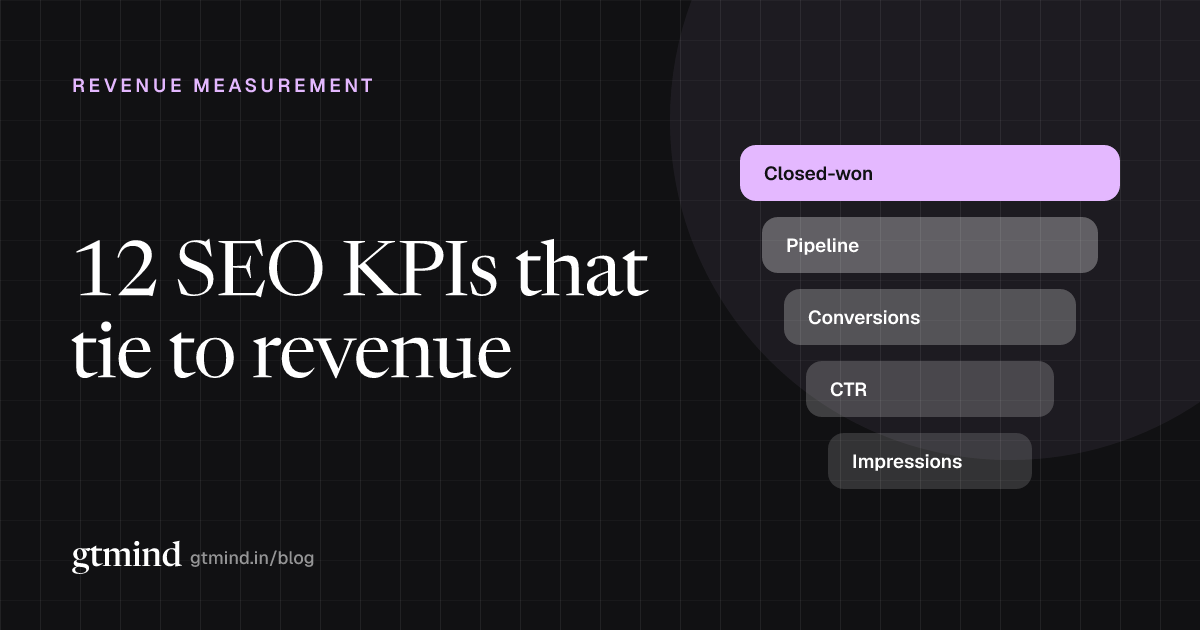
12 SEO KPIs That Actually Tie to Revenue
Most SEO KPI lists are flat. This one is a ladder: 12 metrics from impressions to closed-won, each with a formula, a data source, a target and a dashboard layout to report them.
9 min read